

Download Reload Every – Automatic Browser Refresh Tool for Firefox
Overview
Reload Every is a lightweight add‑on designed specifically for Mozilla Firefox that eliminates the repetitive task of manually refreshing a webpage. While the concept of auto‑refresh might sound niche, the real‑world applications are surprisingly broad. Whether you’re hunting for tickets to a sold‑out concert, monitoring live sports scores, tracking fluctuating stock quotes, or keeping an eye on a limited‑time promotion, Reload Every gives you the power to set a precise refresh interval down to the second.
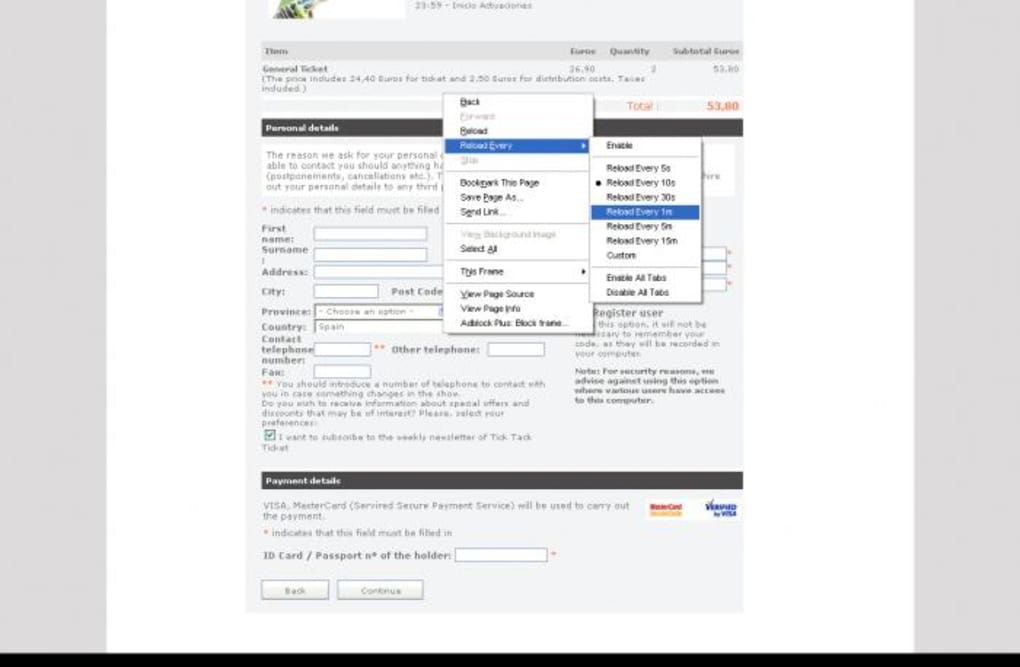
The add‑on lives quietly in the background, consuming virtually no memory, and can be activated with a simple right‑click on any page. From there, a concise context menu offers a handful of pre‑set intervals (5 seconds, 30 seconds, 1 minute, etc.) and the option to define a custom timer. You can apply the refresh rule to the current tab, all open tabs, or disable it altogether with a single click.
Although Reload Every does not boast a complex UI, its minimalism is a strength: there are no intrusive dialogs, no unnecessary settings pages, and no learning curve. The developer provides straightforward support through a dedicated website, but the intuitive design means most users will never need to consult it. In short, Reload Every is an efficient, unobtrusive solution for a very specific problem, and because it’s free, secure, and constantly updated to stay compatible with the latest Firefox releases, it’s a handy tool to have installed on any browser‑centric workstation.
Key Features
- Automatic page refresh at user‑defined intervals, from 1 second up to unlimited time.
- Pre‑configured refresh options for quick selection (5 s, 30 s, 1 min, 5 min, etc.).
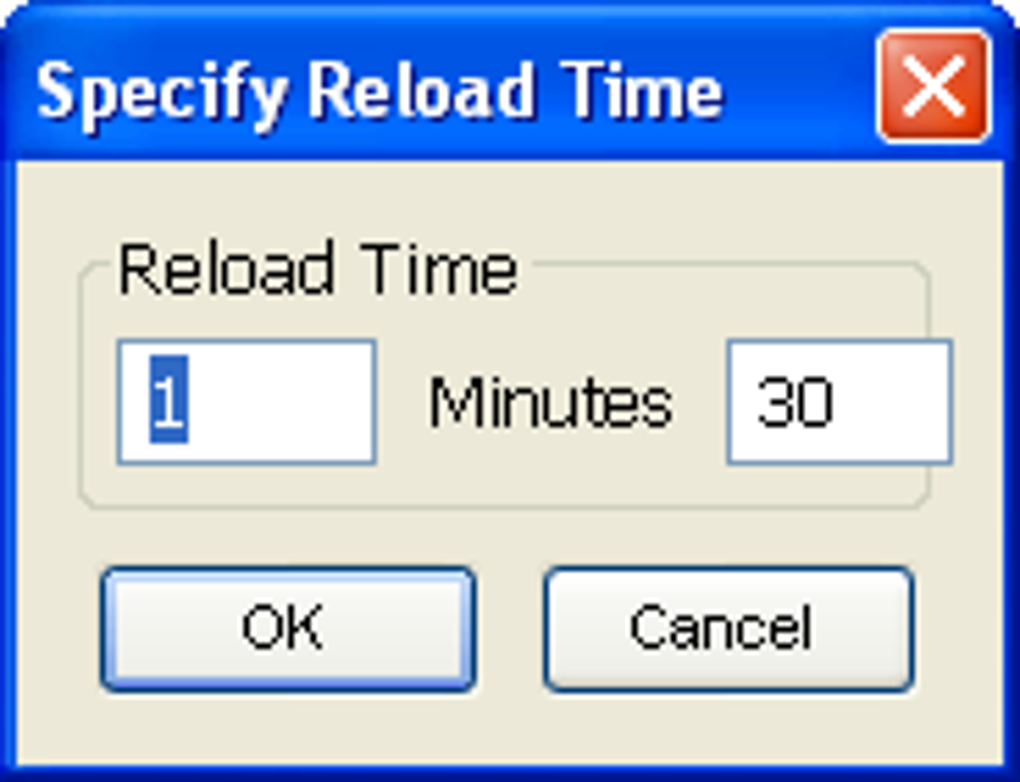
- Custom timer entry allowing exact second‑by‑second control.
- Context‑menu activation via right‑click on any webpage, eliminating the need for a separate toolbar.
- Scope control – apply refresh to a single tab, all tabs, or disable globally.
- Zero‑impact footprint: the add‑on runs silently in the background without slowing down Firefox.
- Free and open‑source, with regular updates to stay compatible with new Firefox versions.
- Secure operation – no external data transmission, ensuring privacy while the add‑on runs.
Installation & Usage Instructions
Installation
Getting Reload Every onto your Firefox browser is a straightforward three‑step process. First, open Firefox and navigate to the official Mozilla Add‑ons site or the developer’s download page. Locate “Reload Every” and click the Add to Firefox button.
Firefox will prompt you to confirm the installation; simply accept the permission request, and the add‑on will be downloaded and installed automatically. After installation, you’ll see a subtle icon appear in the Firefox toolbar, indicating that the extension is active. No reboot or additional configuration is required – the add‑on is ready for immediate use.
How to Use
Using Reload Every is intentionally simple. While browsing, right‑click anywhere on the page you wish to refresh. A context menu will appear with a “Reload Every” submenu.
Inside this submenu you’ll find several preset intervals such as “Every 5 seconds,” “Every 30 seconds,” and “Every 1 minute.” Selecting one of these options instantly starts the auto‑refresh cycle for the current tab. If you need a more precise interval, choose “Custom…” and type the number of seconds you want between reloads. To apply the same rule to all open tabs, select “Apply to all tabs” from the submenu.
When you no longer need automatic refreshing, simply right‑click again, navigate to the same submenu, and choose “Disable Reload.” The add‑on will cease all activity, leaving your browsing experience untouched. Because the tool is invoked from the context menu, it never clutters your screen, and you can activate or deactivate it on the fly without leaving the page you’re viewing.
Compatibility, Pros & Cons, and Frequently Asked Questions
Compatibility
Reload Every is built exclusively for the Mozilla Firefox browser, and the developer maintains compatibility with each major Firefox release. As of the latest update, the add‑on supports Firefox 78 and newer, including the current Firefox 124 release at the time of writing. Because Firefox is available on Windows, macOS, Linux, and even Android (through Firefox for Android), Reload Every inherits this cross‑platform reach. However, the add‑on’s UI elements rely on the desktop version of Firefox; the Android version of the browser does not currently expose the right‑click context menu needed for activation, so the extension is effectively limited to desktop environments (Windows 10/11, macOS Monterey and later, and popular Linux distributions). The add‑on does not interfere with other extensions and works seamlessly alongside privacy‑focused tools, ad blockers, and password managers.
Pros and Cons
- Pros
- Ultra‑lightweight – negligible impact on system resources.
- Simple right‑click activation eliminates the need for a separate toolbar.
- Customizable interval down to the second for precise control.
- Free, open‑source, and regularly updated for security.
- Works across all major desktop operating systems that support Firefox.
- Cons
- No dedicated settings page – all configuration must be done via the context menu.
- Not available for Firefox on Android or iOS, limiting mobile use.
- Limited to Firefox; users of Chrome, Edge, or Safari will need a different solution.
- Absence of visual feedback (e.g., a timer icon) may make it hard to know the exact interval while browsing.
Frequently Asked Questions
Can Reload Every refresh multiple tabs at once?
Yes. After selecting a refresh interval, choose “Apply to all tabs” from the context‑menu submenu. This will start the same auto‑refresh cycle on every open Firefox tab.
Is there any risk of being blocked by websites for auto‑refreshing?
Most websites tolerate occasional refreshes, but some high‑traffic services (ticket vendors, stock platforms) may detect rapid requests and temporarily block the IP. It’s advisable to use reasonable intervals (e.g., 5–30 seconds) and respect the site’s terms of service.
Does Reload Every collect any personal data?
No. The add‑on runs entirely locally within Firefox and does not send any data to external servers. Your browsing habits remain private.
Can I set different refresh intervals for different tabs?
Absolutely. Each tab can have its own timer. Just right‑click on a tab, choose the desired interval, and the setting will apply only to that specific tab unless you explicitly use “Apply to all tabs.”
How do I stop Reload Every from refreshing a page?
Open the same context‑menu, navigate to the “Reload Every” submenu, and select “Disable Reload.” This instantly halts any automatic refresh for the current tab.
Conclusion
Reload Every fills a narrow but essential niche for power users who need hands‑free page updates. Its ultra‑minimal design means you can install it once and forget about it until the exact moment you need an automatic refresh—whether you’re racing to snag concert tickets, monitoring live sports scores, or keeping an eye on volatile market data. The add‑on’s compatibility with every major desktop operating system, combined with its free and open‑source nature, makes it a risk‑free addition to any Firefox setup.
While the lack of a visual timer and the absence of mobile support are minor drawbacks, they are outweighed by the simplicity and reliability of the tool. If you regularly find yourself manually clicking the reload button, give Reload Every a try; you’ll likely wonder how you ever lived without it. Download Reload Every today, enable automatic refreshing in seconds, and stay one step ahead of the competition.
Download Reload Every – Secure, Free, and Updated
Reload Every is a compact, well‑engineered Firefox add‑on that delivers exactly what its name promises. The ease of activation via a right‑click menu, the ability to set custom intervals, and the negligible performance impact make it a solid choice for anyone who needs automated page refreshes. While it could benefit from a small visual indicator and mobile support, the core functionality is flawless and reliable.






